


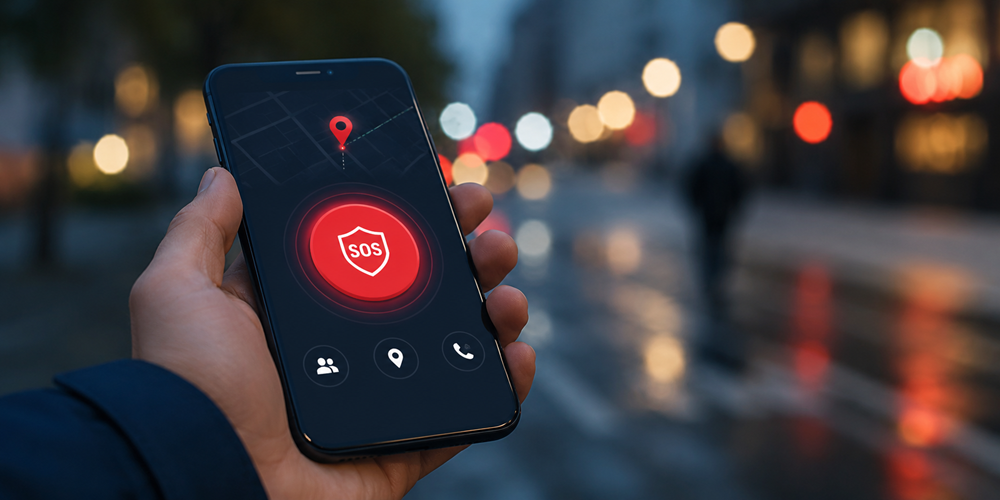
Smartphones have changed the way people respond to emergencies. Whether someone is walking home late at night, living alone, travelling, or managing a medical condition, having an SOS app on a phone can make it easier to get help quickly.
But not all emergency apps are built the same.
Some focus only on sending alerts. Others include live location sharing, fall detection, emergency contacts, or direct access to emergency services. With hundreds of options available on both iPhone and Android, many people struggle to understand which features actually matter during a real emergency.
If you are searching for the best SOS app for iPhone and Android in the UK, this guide explains the features that can genuinely improve safety and response times when seconds matter.
Why SOS Apps Are Becoming Essential in the UK?
Personal safety concerns continue to grow across the UK. According to recent crime and emergency response data, many people now rely on their phones as their first safety tool during stressful situations.
SOS apps are no longer only for extreme emergencies. They are commonly used by:
- Students travelling alone
- Elderly individuals living independently
- Parents monitoring family safety
- People with medical conditions
- Shift workers commuting at night
- Solo travellers
- Men or Women seeking extra personal safety support
A reliable emergency app can provide reassurance while also helping emergency contacts respond faster when something goes wrong.
What Is an SOS App?
An SOS app is a mobile application designed to help users quickly alert trusted contacts or emergency services during dangerous, medical, or urgent situations.
Most modern emergency apps work on both iPhone and Android devices and may include features such as:
- One-tap emergency alerts
- Live GPS tracking
- Emergency contact notifications
- Audio or video recording
- Fall detection
- Medical information sharing
- Panic button activation
- Check-in timers
The goal is simple: reduce the time between an emergency happening and help arriving.
Features That Actually Matter in an Emergency
Many apps advertise dozens of safety tools, but only a few features truly make a difference during high-stress moments.
Here are the most important features to look for in an SOS app for iPhone and Android.
1. One-Tap SOS Activation
In a real emergency, people often panic. Complex menus and multiple confirmation screens waste valuable time.
The best emergency apps allow users to trigger an SOS alert instantly using:
- A single tap
- A lock-screen shortcut
- A hardware button combination
- Voice activation
Fast activation matters because emergencies rarely happen in calm environments.
2. Real-Time Location Sharing
Sending an emergency message without location tracking limits how useful the alert is.
A quality SOS app should provide:
- Live GPS location updates
- Accurate mapping
- Continuous tracking until help arrives
- Location sharing with trusted contacts
This feature is especially important for:
- Lone workers
- Elderly users
- Teenagers
- People travelling alone
- Outdoor runners or cyclists
When emergency contacts can see someone’s exact location in real time, response becomes significantly faster.
3. Emergency Contact Integration
A strong SOS app should allow users to quickly notify multiple trusted contacts at once.
Important capabilities include:
- Instant emergency notifications
- SMS alerts
- Push notifications
- Automated calling
- Group alerts
The best apps avoid delays by contacting several people simultaneously rather than relying on a single emergency contact.
4. Medical Information Access
Medical emergencies are not always visible.
If a person becomes unconscious, confused, or unable to communicate, first responders or anaesthesiologist may need immediate access to critical medical details.
Useful medical profile features include:
- Allergies
- Medications
- Blood type
- Existing conditions
- Emergency contact details
- GP information
- Tailored medical history to help anaesthesiologist to easily pick up any useful information when a surgery is required in emergency
This can be especially important for elderly users or individuals managing chronic conditions.
5. Fall Detection Technology
Fall detection is one of the most valuable modern safety features, particularly for seniors.
Advanced SOS apps can detect sudden impacts or abnormal movement patterns and automatically trigger an emergency alert if the user does not respond.
This feature helps protect:
- Elderly individuals
- People recovering from surgery
- Those with mobility challenges
- Individuals living alone or working in dangerous conditions
Automatic alerts are critical because many fall victims cannot physically reach their phones after an accident.
6. Silent SOS Alerts
In some dangerous situations, making noise or visibly using a phone could increase risk.
A good SOS app should support silent emergency activation through:
- Hidden gestures
- Discreet button presses
- Background alerts
- Silent tracking
This feature is especially useful during:
- Personal safety threats
- Harassment situations
- Domestic abuse incidents
- Suspicious encounters
7. Battery and Reliability Performance
An emergency app is only useful if it works consistently.
Many apps drain battery quickly because of constant GPS tracking or poor optimization.
Look for apps that provide:
- Low battery consumption
- Stable performance
- Reliable background operation
- Fast notification delivery
- Offline support where possible
Users should also test the app regularly to ensure alerts function correctly.
8. Cross-Platform Compatibility
Families and emergency contacts often use different devices.
The best SOS apps work smoothly across:
- iPhone
- Android
- Tablets
- Smartwatches
Cross-platform support ensures emergency alerts reach everyone regardless of device type.
9. Check-In and Safety Timer Features
Many emergencies develop gradually rather than instantly.
Safety timer tools allow users to set a countdown while travelling, exercising, or meeting someone.
If the user fails to check in before the timer ends, the app automatically alerts emergency contacts.
This feature is particularly useful for:
- First dates
- Solo travel
- Night commutes
- Outdoor activities
- Rideshare journeys
10. Privacy and Data Security
Emergency apps handle highly sensitive personal information.
Users should choose apps that prioritise:
- Encrypted data
- Secure location sharing
- Controlled permissions
- Transparent privacy policies
People should avoid apps that request unnecessary access to contacts, microphones, or background activity without explanation.
iPhone vs Android SOS Features
Both iPhone and Android devices include built-in emergency tools, but their capabilities differ.
iPhone Emergency Features
Apple devices include:
- Emergency SOS calling
- Medical ID access
- Crash Detection on supported devices
- Emergency contact notifications
- Location sharing during emergencies
These tools integrate directly with iOS, making them easy to access quickly.
But without call-takers to access an unconsciousness, some false alarms could rise up to the emergency services for no reasons.
Android Emergency Features
Many Android devices offer:
- Emergency SOS shortcuts
- Emergency sharing
- Medical information access
- Safety Check tools
- Personal Safety app support
However, Android features may vary depending on device brand and operating system version.
Because built-in tools differ across phones, many users still prefer dedicated SOS apps with advanced safety features.
What Makes a Good Emergency App in 2026?
The best emergency apps are simple, reliable, and fast.
Users should prioritise apps that focus on:
- Speed during emergencies
- Easy activation
- Reliable alerts
- Accurate location tracking
- Clear communication
- Real-world usability
Apps overloaded with unnecessary features may become harder to use during stressful moments.
How Z-KUR Supports Emergency Preparedness?
Z-KUR is designed to help people stay connected and protected during emergencies through fast-response safety technology.
The app focuses on practical emergency support features that matter in real-life situations, including:
- Quick SOS activation
- Emergency contact alerts
- Real-time location sharing
- Personal safety support
- Easy mobile accessibility
For users looking for an SOS app for iPhone and Android in the UK, having a reliable and easy-to-use emergency tool can provide additional peace of mind for everyday situations.
Tips for Choosing the Right SOS App
Before downloading any emergency app, consider the following:
Test the SOS Function
Always test how quickly the emergency feature activates.
Check Notification Speed
Ensure alerts reach emergency contacts immediately.
Review Permissions
Only allow permissions necessary for safety features.
Read User Reviews
Real-world feedback often reveals reliability issues.
Confirm UK Compatibility
Some apps are built mainly for US emergency systems and may not fully support UK users.
Final Thoughts
An SOS app should do more than send a notification. In a real emergency, speed, reliability, and usability matter far more than flashy features.
Whether someone wants extra reassurance during daily travel, support for an elderly family member, or a reliable personal safety solution, choosing the right emergency app can make a meaningful difference.
The best SOS apps for iPhone and Android combine fast alerts, accurate tracking, emergency contact support, and practical safety tools that work when people need them most.
As personal safety technology continues evolving in 2026, users should focus on apps designed for real emergencies rather than marketing promises.
FAQs
The best SOS app depends on individual needs, but users should prioritise apps with fast activation, live GPS tracking, emergency contact alerts, and reliable performance.
Many emergency apps offer free versions with basic safety features, while premium plans may include advanced tools like fall detection, live monitoring, or extended tracking.
Some apps can assist users in quickly contacting emergency services, but capabilities vary depending on the app and smartphone settings.
Certain features like SMS alerts may still function without internet access, but live GPS tracking usually requires mobile data or network connectivity.
Yes. A reliable emergency app can improve communication, speed up response times, and provide added reassurance during medical, personal safety, or travel-related emergencies.